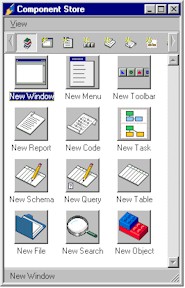
The Component Store contains all the objects you need to build your OMNIS application.
It contains class templates and wizards, field and background objects, external components, ActiveX objects, and components for the OMNIS Web Client. When you open a library, the Component Store opens automatically. You can create a new object in your library by dragging the object from the Component Store and dropping it onto the destination library in the Class Browser or the appropriate class design window.