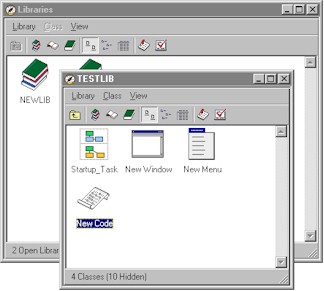
The Browser lets you create new libraries and add new classes to the current library.
It opens when you start OMNIS. It displays all your open libraries or all classes in a particular library. You can open the Browser from the View menu, or by pressing F2/Cmnd-2. When you start OMNIS the Browser will be empty. At this stage you can either create a new library or open an existing library.